
Choosing the right WordPress support packages can make the difference between a website that thrives and one that constantly struggles with technical issues. With hundreds of providers offering various levels of WordPress support services, finding the perfect fit for your business needs, budget, and technical requirements requires careful consideration.
Whether you’re running a small business blog or managing an enterprise-level ecommerce site, understanding what different support packages offer—and more importantly, what your business actually needs—is crucial for making an informed decision. This comprehensive guide will walk you through everything you need to know about WordPress support services and packages to help you select the plan that aligns with your business objectives.
WordPress Support packages: find the right plan for your Business Table of Contents
- Understanding WordPress Support Package Structures
- Essential Features to Look for in WordPress Support Packages
- Different Package Levels: From Basic to Enterprise
- Matching Your Business Needs to Package Features
- Cost Analysis: What You Should Expect to Pay
- Red Flags When Comparing Support Packages
- Questions to Ask Before Committing to a Package
- Frequently Asked Questions
- Finding Your Perfect WordPress Support Partner
Understanding WordPress Support Package Structures
WordPress support packages come in various configurations, each designed to address different business scenarios and technical requirements. Understanding these structural differences is the first step in identifying which wordpress support service model suits your organization best.
Tiered Service Models Explained
Most providers structure their WordPress support services using a tiered approach, typically offering three to five levels of service. Each tier builds upon the previous one, adding more comprehensive features, faster response times, and increased support hours.
The entry-level tier usually covers basic maintenance tasks like core updates and basic security monitoring. Mid-tier packages expand to include plugin management, performance optimization, and priority support. Premium tiers often add dedicated account managers, custom development hours, and proactive monitoring.
Pay-Per-Incident vs. Subscription Plans
Two primary pricing models dominate the support for WordPress landscape: pay-per-incident and monthly subscription packages. Pay-per-incident models charge you only when you need help, which might seem economical initially but can become expensive during emergencies or when multiple issues arise.
Subscription-based WordPress support packages provide predictable monthly costs and typically include preventive maintenance that reduces the likelihood of major issues. For most businesses, subscription models offer better value and peace of mind, especially when considering the cost of website downtime.
Essential Features to Look for in WordPress Support Packages
Not all WordPress support services are created equal. Certain features should be considered non-negotiable regardless of your business size or budget constraints.
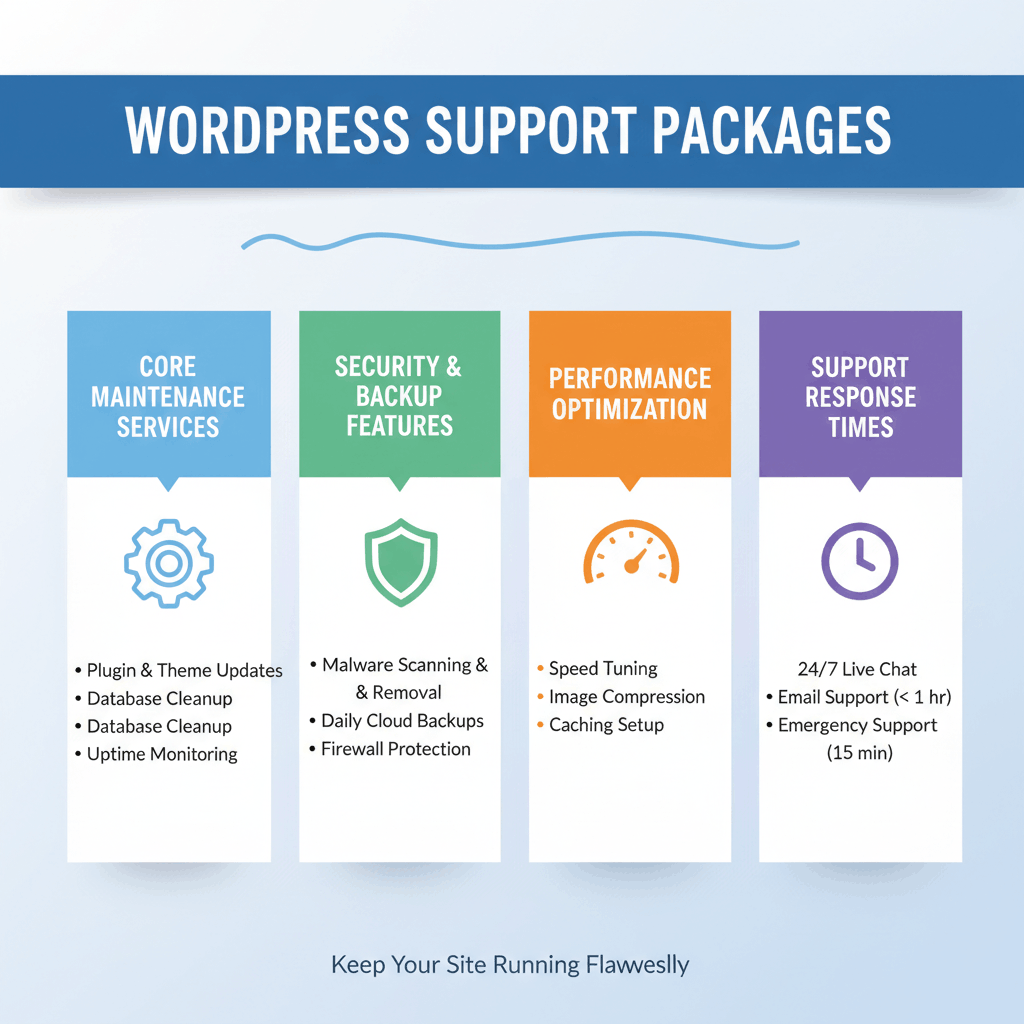
Core Maintenance Services
Every quality WordPress support service should include regular updates for your WordPress core, themes, and plugins. These updates aren’t just about new features—they’re critical security patches that protect your website from vulnerabilities.
Look for packages that also include compatibility testing after updates. Simply applying updates without testing can break your website’s functionality, which is why professional providers test changes in staging environments first. Regular maintenance following a comprehensive checklist ensures nothing falls through the cracks.
Security and Backup Features
Security features should be a cornerstone of any WordPress support package you consider. At minimum, expect malware scanning, firewall protection, and security hardening measures that close common attack vectors.
Automated backups with easy restoration options are equally critical. Your support for WordPress should include daily backups stored in multiple locations, allowing you to restore your site quickly if anything goes wrong. Some packages also offer version history, letting you roll back to any previous state of your website.
Performance Optimization
Website speed directly impacts user experience, conversion rates, and search engine rankings. Quality WordPress support packages include ongoing performance monitoring and optimization services.
This might include database optimization, image compression, caching configuration, and CDN setup. Look for providers who actively monitor your site’s performance metrics and proactively address slowdowns before they impact your visitors.
Support Response Times
Response time guarantees vary significantly across WordPress support services. Basic packages might offer 24-48 hour response times during business hours, while premium packages provide responses within an hour or even immediate support.
Consider how critical your website is to your business operations. If downtime directly impacts revenue, investing in faster response times becomes essential. Understanding what “response time” means is also important—does it mean acknowledgment of your ticket or actual resolution of the issue?
Different Package Levels: From Basic to Enterprise
WordPress support packages typically fall into three broad categories, each designed for different business sizes and complexity levels. Understanding these distinctions helps you identify where your business fits.
Starter Packages for Small Businesses
Starter or basic WordPress support packages are designed for small businesses, blogs, and simple websites with straightforward needs. These packages typically include:
- Monthly core, theme, and plugin updates
- Basic security monitoring and malware scanning
- Weekly or daily backups with 30-day retention
- Email support with 24-48 hour response times
- One hour of minor edits or fixes per month
- Uptime monitoring with basic alerts
These packages work well for websites with moderate traffic, simple functionality, and businesses that can tolerate some downtime without significant financial impact. They provide essential protection and maintenance without premium costs.
Professional Plans for Growing Companies
Professional or business-tier packages serve growing companies with more complex websites and higher traffic volumes. These wordpress support services include everything in starter packages, plus:
- Priority support with faster response times (typically 4-12 hours)
- Performance optimization and speed improvements
- Advanced security features like two-factor authentication and intrusion detection
- Monthly security and performance reports
- More development hours for customizations (3-5 hours monthly)
- Plugin and theme compatibility monitoring
- SEO maintenance and basic optimization
This level suits businesses where the website plays a significant role in revenue generation or customer service. The additional features help maintain competitive performance and provide more hands-on support when issues arise. Many companies at this level benefit from affordable support packages that balance features with budget constraints.
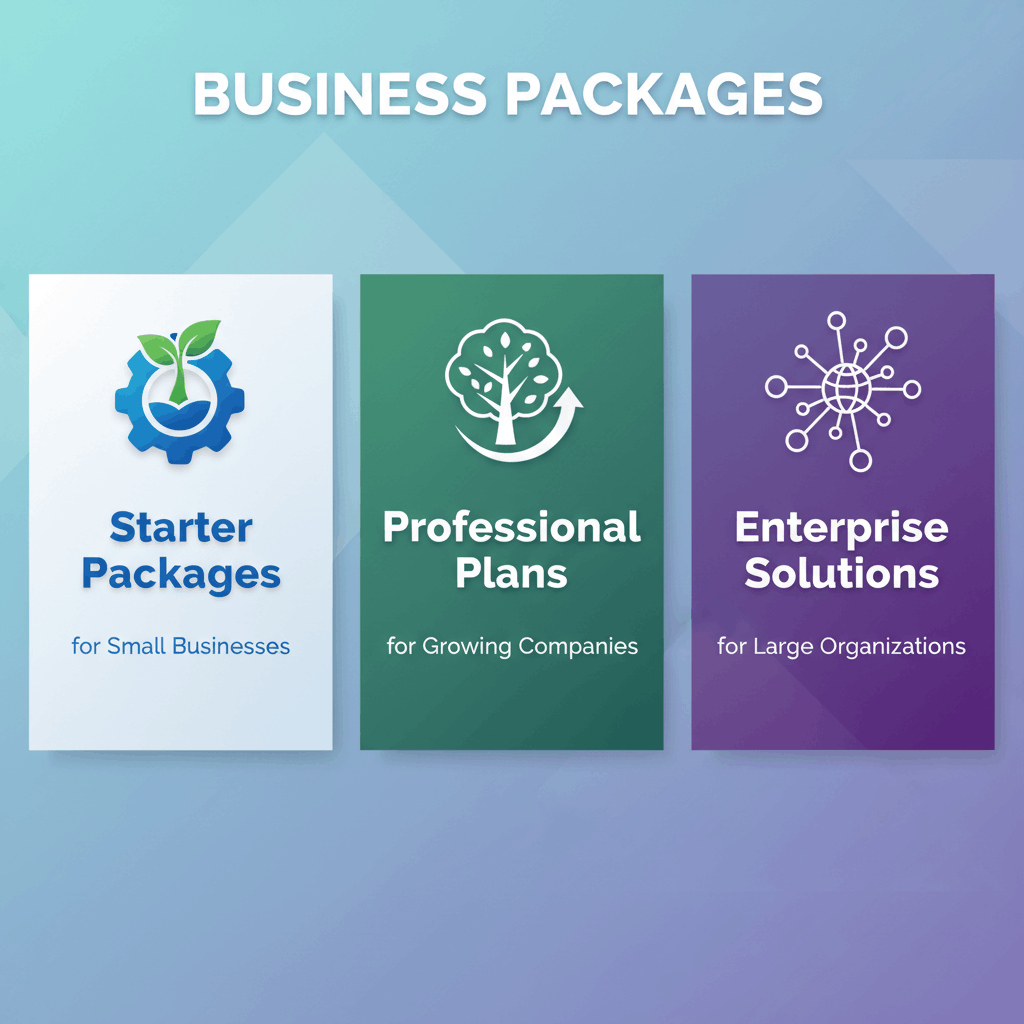
Enterprise Solutions for Large Organizations
Enterprise WordPress support packages cater to large organizations, high-traffic websites, and mission-critical applications where downtime isn’t an option. These comprehensive packages include:
- 24/7 support with immediate response times (often under 1 hour)
- Dedicated account manager and support team
- Proactive monitoring with automated issue resolution
- Custom development hours (10+ hours monthly)
- Advanced performance optimization and scalability planning
- Multiple staging environments
- White-label solutions for agencies
- Service Level Agreements (SLAs) with uptime guarantees
- Custom reporting and analytics
Enterprise clients often require customized packages tailored to their specific infrastructure, compliance requirements, and business objectives. These packages represent significant investments but provide comprehensive coverage and peace of mind.
Matching Your Business Needs to Package Features
Selecting the right WordPress support package requires honest assessment of your business situation, technical capabilities, and growth plans. Several factors should influence your decision.
Assessing Your Technical Capacity
Your internal technical resources significantly impact what level of support for WordPress you need. If you have an in-house developer who can handle routine maintenance, you might only need emergency support or specialized services.
Conversely, if technical management falls on someone without development experience, comprehensive packages that handle all technical aspects become essential. Many businesses fall somewhere in between, needing support for complex issues while managing basic tasks internally.
Evaluating Your Website Complexity
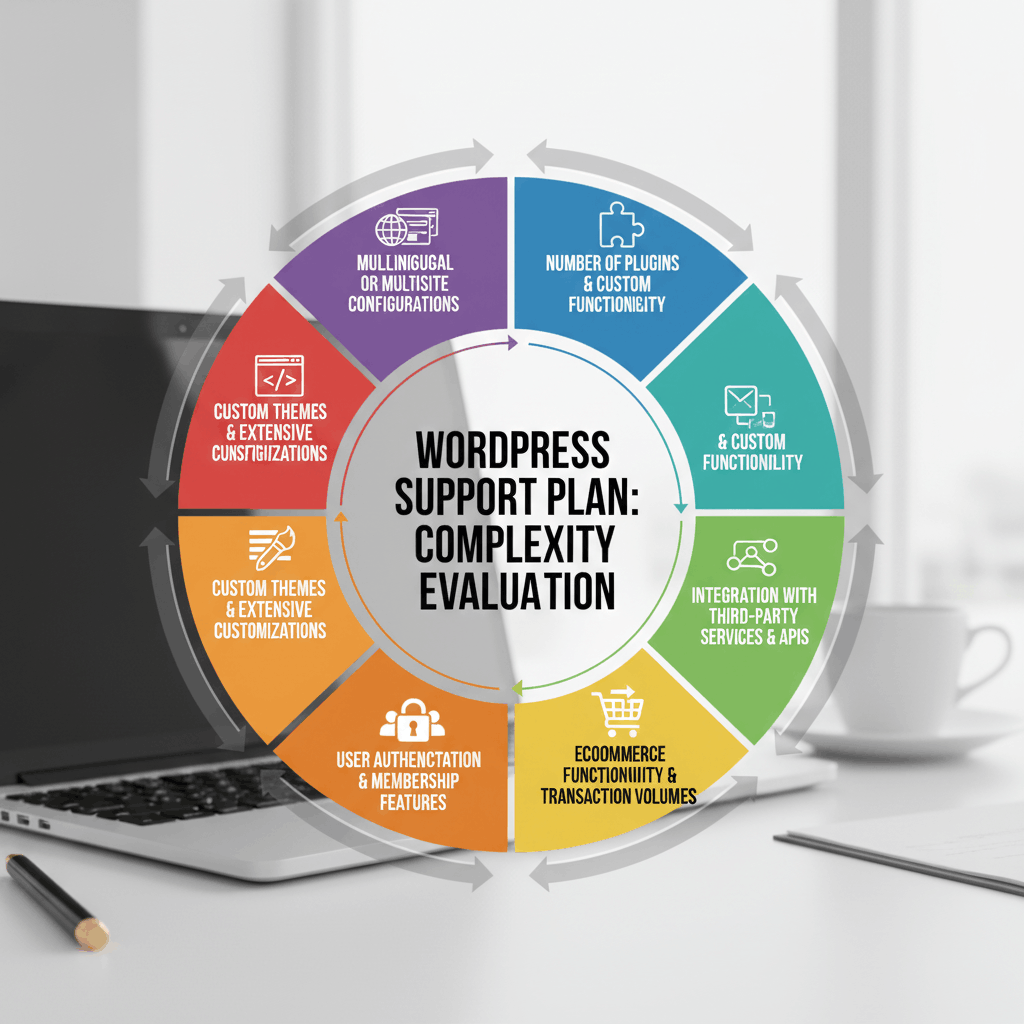
Simple brochure websites require less intensive support than complex ecommerce sites, membership platforms, or custom applications. Consider these complexity factors:
- Number of plugins and custom functionality
- Integration with third-party services and APIs
- Ecommerce functionality and transaction volumes
- User authentication and membership features
- Custom themes and extensive customizations
- Multilingual or multisite configurations
Higher complexity demands more comprehensive wordpress support packages with faster response times and more development hours included. Websites using multiple essential plugins particularly benefit from professional support that ensures all components work harmoniously.
Considering Your Growth Trajectory
Your future plans should inform your package selection today. If you’re planning significant expansions, new features, or traffic growth, choosing a provider that can scale with you prevents the disruption of switching providers later.
Look for wordpress support services offering flexible upgrade paths. Starting with a basic package and upgrading as your needs grow often makes more sense than overbuying initially or underinvesting and struggling with inadequate support.
Cost Analysis: What You Should Expect to Pay
WordPress support package pricing varies widely based on service levels, provider reputation, and included features. Understanding typical price ranges helps you budget appropriately and identify unusually high or suspiciously low pricing.
Budget-Friendly Options
Basic WordPress support packages typically range from $50 to $150 per month. At this price point, expect essential maintenance services, basic security, regular backups, and email support with standard response times.
These packages work well for small businesses, personal blogs, or simple websites where the owner can handle minor issues independently. However, carefully review what’s included—some budget packages exclude critical features or charge extra for services you might assume are included.
Mid-Range Investment
Professional-tier packages generally cost between $150 and $500 monthly. This range offers significantly more value, including priority support, performance optimization, enhanced security, and several hours of development work monthly.
Most growing businesses find the sweet spot in this range, where support for wordpress becomes comprehensive enough to prevent most issues while remaining affordable. The included development hours alone often justify the cost difference from basic packages.
Premium Service Pricing
Enterprise WordPress support packages start around $500 monthly and can exceed several thousand dollars for large, complex deployments. These investments include dedicated resources, custom SLAs, 24/7 support, and extensive development hours.
For businesses where their website represents a critical revenue channel or customer touchpoint, premium pricing becomes justifiable through reduced downtime, faster issue resolution, and proactive management that prevents problems before they impact operations.
Red Flags When Comparing Support Packages
Not all wordpress support services deliver what they promise. Watch for these warning signs when evaluating potential providers:
- Vague service descriptions: If a provider can’t clearly articulate what’s included, you’ll likely face confusion and unexpected charges later
- No response time guarantees: Providers confident in their service offer specific response time commitments
- Missing backup services: Any legitimate support package must include regular, tested backups
- Unusually low pricing: If a package seems too good to be true, it probably is—quality support requires skilled professionals
- Poor communication: If getting clear answers is difficult during sales, expect worse communication when you need support
- No client references: Established providers should readily share testimonials or case studies
- Hidden fees: Watch for packages advertising low base prices but charging extra for essential services
- Rigid contracts: While contracts are normal, extremely long lock-in periods or harsh cancellation penalties suggest lack of confidence
Taking time to thoroughly vet providers prevents frustration and ensures your investment in wordpress support packages delivers real value. Understanding why professional WordPress support matters helps you distinguish between legitimate services and inadequate offerings.
Questions to Ask Before Committing to a Package
Before signing a contract for WordPress support services, ask potential providers these critical questions:
- What exactly is included in the monthly fee? Get specific details about every service, including any limitations on support requests or development hours.
- What are your guaranteed response and resolution times? Understand both how quickly they’ll acknowledge your issue and how long typical fixes take.
- How do you handle emergencies outside business hours? Even if you don’t need 24/7 support normally, knowing emergency options exist provides peace of mind.
- What happens if I exceed my included development hours? Understand overage charges and whether unused hours roll over.
- Where are backups stored, and how often are they tested? Regular backups mean nothing if restoration hasn’t been verified.
- Can you provide references from similar businesses? Speaking with current clients in your industry offers valuable insights.
- What’s your process for updates and testing? Understand how they prevent updates from breaking your site.
- How do you handle security incidents? Know their procedures for detecting, responding to, and recovering from security breaches.
- What reporting do you provide? Regular reports on maintenance activities, security status, and performance help you understand the value you’re receiving.
- What are the contract terms and cancellation policy? Understand commitment length and any penalties for termination.
The quality of responses to these questions reveals much about a provider’s professionalism and whether their support for wordpress will meet your expectations. Providers should answer confidently and transparently.
Frequently Asked Questions
What is typically included in a WordPress support package?
Standard WordPress support packages include core, theme, and plugin updates; security monitoring and malware scanning; regular backups; uptime monitoring; and technical support via email or ticket system. More comprehensive packages add performance optimization, priority support, development hours, and advanced security features. The specific inclusions vary by provider and package tier, which is why reviewing detailed service descriptions is essential before committing.
Can I upgrade my WordPress support package later?
Most reputable wordpress support services allow flexible upgrades as your needs grow. Many providers design their packages specifically with upgrade paths in mind, making transitions seamless. Before committing, confirm the provider offers higher-tier packages and understand any prorating policies or fees associated with upgrades. Starting with an appropriate package for your current needs while knowing you can scale up provides cost-effective flexibility.
Do I need a support package if I have an in-house developer?
Even with in-house developers, WordPress support packages offer value through specialized WordPress expertise, 24/7 monitoring, redundant coverage during vacations or illness, and access to security tools and infrastructure that might be expensive to implement independently. Many businesses use support packages for routine maintenance and monitoring, freeing internal developers to focus on strategic projects. Consider packages that complement rather than replace internal resources, offering specialized services or emergency backup when needed.
What’s the difference between managed hosting and WordPress support packages?
Managed WordPress hosting focuses primarily on server-level optimization, security, and performance, typically handling WordPress core updates but not theme or plugin management. WordPress support packages provide comprehensive website management including content updates, plugin management, troubleshooting, customizations, and hands-on support for website functionality. Many businesses benefit from both managed hosting for infrastructure and support packages for website-level management. Some providers offer combined solutions that integrate both services for comprehensive coverage.
Finding Your Perfect WordPress Support Partner
Selecting the right WordPress support packages represents an investment in your website’s reliability, security, and performance. The ideal package balances comprehensive coverage with reasonable costs while providing support that matches your technical capacity and business requirements.
Start by honestly assessing your current needs and future growth plans. Consider your website’s complexity, traffic levels, revenue dependence, and internal technical resources. These factors guide you toward the appropriate service tier that delivers value without paying for unnecessary features.
Remember that the cheapest option rarely proves most cost-effective when accounting for potential downtime, security breaches, or performance issues that impact your business. Quality wordpress support services prevent problems rather than just reacting to them, ultimately saving money and stress while protecting your online presence.
As you evaluate providers, prioritize clear communication, transparent pricing, and proven expertise. A provider’s willingness to understand your unique situation and recommend appropriate solutions—even if it means a lower-priced package—indicates integrity and partnership mindset rather than just sales focus.
Ready to secure professional WordPress support that matches your business needs? Contact our team to discuss which support package would serve your website best. We’ll help you identify the right balance of features, response times, and