Managing a WordPress website requires consistent attention to numerous maintenance tasks that keep your site secure, fast, and functional. Understanding WordPress site maintenance: essential tasks explained helps you prioritize activities that protect your investment and ensure optimal performance for your visitors.
Whether you’re managing your own site or considering professional assistance, knowing what maintenance tasks are necessary—and when to perform them—is crucial for long-term success. This comprehensive guide breaks down every essential maintenance task by frequency, so you understand exactly what your site needs and why it matters.
For a broader overview of professional care options, check out our complete guide on WordPress Maintenance Services & Plans to understand how expert support can streamline these tasks.
WordPress site maintenance: essential tasks explained Table of Contents
- Why WordPress Site Maintenance Tasks Matter
- Daily WordPress Maintenance Tasks
- Weekly WordPress Maintenance Tasks
- Monthly WordPress Site Maintenance Tasks
- Quarterly WordPress Maintenance Tasks
- How WordPress Maintenance Packages Simplify These Tasks
- Frequently Asked Questions
- Get Expert Help With Your WordPress Maintenance Tasks
Why WordPress Site Maintenance Tasks Matter
Regular WordPress site maintenance isn’t just about keeping your site running—it’s about protecting your business from security breaches, performance degradation, and functionality failures. Every day your site remains unmaintained increases your vulnerability to threats and technical issues.
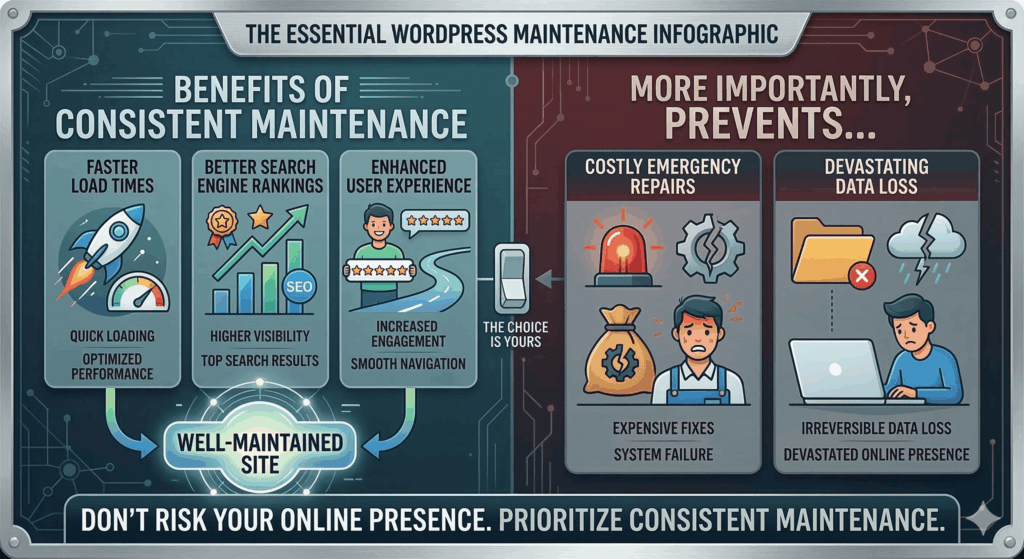
A well-maintained WordPress site delivers faster load times, better search engine rankings, and enhanced user experience. More importantly, consistent maintenance prevents costly emergency repairs and data loss that can devastate your online presence.
The essential tasks outlined in this guide form the foundation of any comprehensive WordPress maintenance service. When performed regularly, they create a protective shield around your website while optimizing its performance for both users and search engines.
Daily WordPress Maintenance Tasks
Daily maintenance tasks focus on monitoring and immediate threat detection. While these tasks don’t require extensive time investment, they’re critical for catching problems before they escalate into major issues.
Security Monitoring and Threat Detection
Security monitoring should run continuously on your WordPress site. Daily checks ensure that malware, unauthorized access attempts, and suspicious activity are identified immediately.
Quality WordPress maintenance packages include automated security scanning that alerts you to threats in real-time. This proactive approach prevents hackers from establishing a foothold on your site, protecting your data and your visitors’ information.

Key security monitoring activities include:
- Reviewing login attempts and failed authentication logs
- Checking for file changes and unauthorized modifications
- Monitoring for malware and suspicious code injections
- Analyzing traffic patterns for DDoS attacks or bot activity
- Verifying SSL certificate validity and HTTPS functionality
Learn more about protecting your site with our guide on strengthening WordPress site security with simple techniques.
Backup Verification
While backups may run automatically, daily verification ensures they’re completing successfully and storing properly. A failed backup leaves your site vulnerable to permanent data loss.
Check that your backup system confirms successful completion and that recent backup files are accessible. Test restoration capabilities periodically to ensure backups aren’t corrupted and contain all necessary data.
Uptime Monitoring
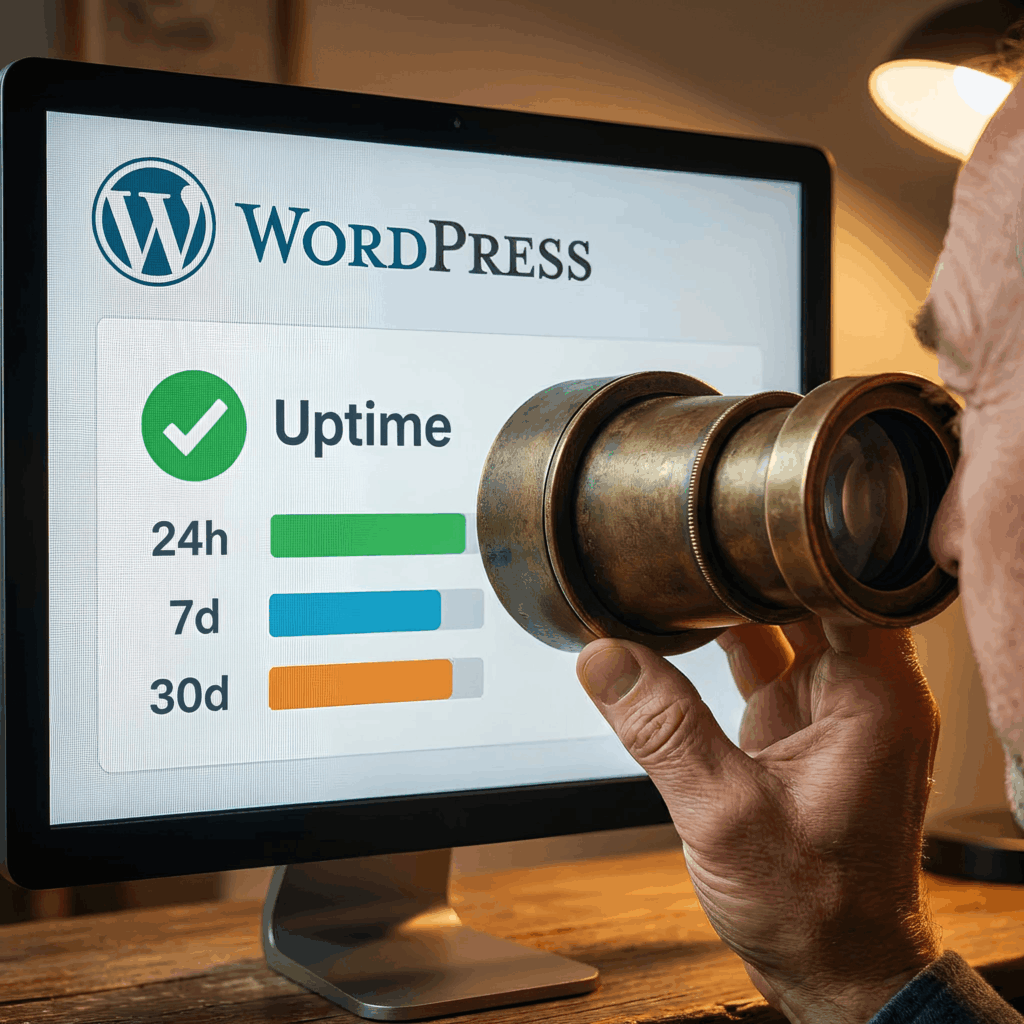
Your site should be accessible 24/7, but server issues, hosting problems, or technical errors can cause unexpected downtime. Daily uptime monitoring catches outages immediately, minimizing lost revenue and visitor frustration.
Automated uptime monitors ping your site at regular intervals and alert you when it becomes inaccessible. This allows you to respond quickly and restore service before significant damage occurs to your reputation or search engine rankings.
Weekly WordPress Maintenance Tasks
Weekly tasks involve more hands-on maintenance activities that keep your site updated, clean, and functioning properly. These tasks typically require 30-60 minutes depending on your site’s complexity.
WordPress Core, Theme, and Plugin Updates
Updates are the most critical weekly maintenance task for WordPress site maintenance. WordPress core, themes, and plugins receive regular updates that patch security vulnerabilities, fix bugs, and add new features.
Delaying updates leaves your site exposed to known security exploits that hackers actively target. However, updates should always be performed carefully with proper testing to avoid compatibility issues.
The update process should follow these steps:
- Create a complete backup before making any changes
- Check compatibility between plugin, theme, and WordPress versions
- Update plugins first, testing functionality after each update
- Update themes, verifying design and functionality remain intact
- Update WordPress core as the final step
- Test critical site functions including forms, checkout, and navigation
If you’re looking for reliable tools, our article on essential WordPress plugins for your business site can help you select quality extensions that receive regular updates.
Comment Moderation and Spam Management
Comment sections attract spam that can damage your SEO and user experience. Weekly comment moderation removes spam, approves legitimate comments, and maintains the quality of user interactions.
Configure anti-spam plugins to reduce manual work, but always review flagged comments to prevent false positives. Delete spam comments permanently rather than letting them accumulate in your database.
Broken Link Checks
Broken internal and external links frustrate users and harm your SEO performance. Weekly link checks identify broken links so you can fix or remove them promptly.
Use automated tools to scan your site for 404 errors and broken external links. Update changed URLs, remove links to deleted pages, and replace dead external links with current resources.

Monthly WordPress Site Maintenance Tasks
Monthly maintenance tasks focus on optimization, content quality, and deeper system checks. These activities keep your site performing at its best while identifying issues that develop gradually over time.
Database Optimization
Your WordPress database accumulates unnecessary data over time, including post revisions, spam comments, transient options, and orphaned metadata. This bloat slows database queries and impacts site performance.
Monthly database optimization removes this excess data, defragments tables, and improves query efficiency. Most WordPress maintenance service providers include database optimization as a standard task.
Database optimization should include:
- Deleting post revisions beyond a reasonable limit
- Removing auto-drafts and trashed content
- Cleaning transient options and expired data
- Optimizing database tables for better performance
- Checking for and removing orphaned metadata
Performance Testing and Speed Optimization
Site speed directly impacts user experience, conversion rates, and search engine rankings. Monthly performance testing identifies speed issues and optimization opportunities.
Run your site through tools like Google PageSpeed Insights, GTmetrix, or Pingdom to measure load times and identify bottlenecks. Address issues such as unoptimized images, excessive HTTP requests, or inefficient caching configurations.
Regular performance optimization maintains fast load times as your content and traffic grow. This proactive approach prevents the gradual performance degradation that many site owners don’t notice until it significantly impacts their business.
Content Review and Updates
Outdated content damages credibility and SEO performance. Monthly content reviews identify pages that need updates, corrections, or removal.
Check for outdated information, broken images, and content that no longer aligns with your business goals. Update statistics, refresh examples, and improve content quality based on current best practices.
SEO Health Check
Monthly SEO audits ensure your site maintains optimal search engine visibility. Check for technical SEO issues, meta description problems, and indexing errors that could impact rankings.

Review Google Search Console for crawl errors, manual penalties, or indexing issues. Verify that your XML sitemap is current and all important pages are properly indexed.
Quarterly WordPress Maintenance Tasks
Quarterly maintenance tasks involve comprehensive reviews and deeper system checks. These less frequent but more intensive tasks ensure long-term site health and security.
Comprehensive Security Audits
Quarterly security audits go beyond daily monitoring to conduct thorough vulnerability assessments. This includes reviewing user permissions, checking file integrity, and testing security configurations.
A comprehensive WordPress site maintenance service includes detailed security audits that identify potential weaknesses before they’re exploited. This proactive security posture significantly reduces breach risk.
Consider professional security audits if your site handles sensitive data, processes payments, or stores customer information. Our team at WP.Support provides thorough security assessments as part of our maintenance plans.
User Access Review
User accounts accumulate over time, and outdated accounts with inappropriate permissions create security vulnerabilities. Quarterly user reviews ensure only authorized individuals have site access.
Remove inactive user accounts, audit permission levels, and enforce strong password policies. If employees have left your organization or contractors have completed their work, disable their accounts immediately.
Testing Forms and Functionality
Contact forms, search functionality, and interactive elements can break without obvious symptoms. Quarterly testing ensures all critical functions work correctly.
Test contact forms to verify emails are delivered, check shopping cart functionality if you run an e-commerce site, and verify that navigation elements work across different devices and browsers.
How WordPress Maintenance Packages Simplify These Tasks
Managing all these essential tasks requires significant time, technical expertise, and consistent attention. This is where professional WordPress maintenance packages provide tremendous value.
A quality maintenance package handles daily, weekly, monthly, and quarterly tasks systematically, ensuring nothing falls through the cracks. Professional providers use specialized tools, automated systems, and expert knowledge to perform these tasks more efficiently than most site owners can manage independently.
When evaluating maintenance options, consider the comprehensive coverage provided by professional services. Different packages offer varying levels of support, from basic updates and backups to complete site management including content updates and advanced optimization.
Understanding your options helps you select the right level of support for your needs. For guidance on selecting appropriate coverage, explore our resources on affordable WordPress support packages for every business need.
Professional maintenance also provides peace of mind. Instead of worrying whether you’ve completed essential tasks, you can focus on growing your business while experts handle the technical details.
Most providers also offer emergency support when issues arise, providing rapid response to security threats, performance problems, or functionality failures. This safety net prevents minor issues from becoming business-threatening disasters.
Frequently Asked Questions
How often should WordPress maintenance tasks be performed?
Maintenance frequency depends on the specific task. Security monitoring and backups should run daily, while updates typically occur weekly. Database optimization, performance testing, and content reviews work well on a monthly schedule. Comprehensive security audits and functionality testing should happen quarterly. This varied schedule ensures consistent protection without overwhelming site administrators.
Can I automate WordPress maintenance tasks?
Many WordPress maintenance tasks can be partially automated using plugins and services. Backups, security scans, and uptime monitoring automate easily. However, updates require careful manual oversight to prevent compatibility issues, and content review needs human judgment. The best approach combines automation for routine monitoring with expert human oversight for changes that could impact site functionality.
What happens if I skip WordPress maintenance?
Skipping WordPress maintenance exposes your site to security vulnerabilities, performance degradation, and eventual failure. Outdated software becomes a target for hackers who exploit known vulnerabilities. Database bloat gradually slows your site, harming user experience and SEO. Eventually, compatibility issues between outdated components can break critical functionality. Regular maintenance prevents these cascading problems.
Do I need technical skills for WordPress site maintenance?
Basic WordPress maintenance requires moderate technical knowledge, including understanding how to safely update plugins, interpret error messages, and use FTP or hosting control panels. More advanced tasks like database optimization and security audits require stronger technical skills. Many site owners find that professional maintenance services provide better results than DIY approaches, especially for business-critical websites.
How long do WordPress maintenance tasks take?
Time requirements vary based on site complexity and maintenance frequency. Daily monitoring takes 5-10 minutes if automated properly. Weekly updates and checks require 30-60 minutes. Monthly optimization and testing need 1-2 hours. Quarterly comprehensive audits can take 2-4 hours. Professional maintenance services handle these tasks more efficiently, often completing them in less time while providing better results.
Get Expert Help With Your WordPress Maintenance Tasks
Understanding WordPress site maintenance: essential tasks explained is the first step toward protecting your website investment. However, consistently performing all these tasks requires significant time and expertise that many business owners simply don’t have.
That’s where professional WordPress maintenance services provide exceptional value. Instead of juggling multiple tasks and worrying about security threats, you can rely on experienced professionals who handle maintenance systematically and efficiently.
At WP.Support, we’ve designed comprehensive maintenance plans that cover every essential task outlined in this guide. Our team monitors your site daily, performs updates carefully, optimizes performance regularly, and conducts thorough security audits to keep your site healthy and secure.
Whether you need basic maintenance coverage or comprehensive management including content updates and advanced optimization, we offer flexible plans tailored to your specific needs. Don’t let maintenance tasks overwhelm you or leave your site vulnerable.
Explore our WordPress care plan pricing to find the perfect maintenance solution for your website, or contact our team to discuss your specific requirements. Let us handle the technical details while you focus on growing your business.