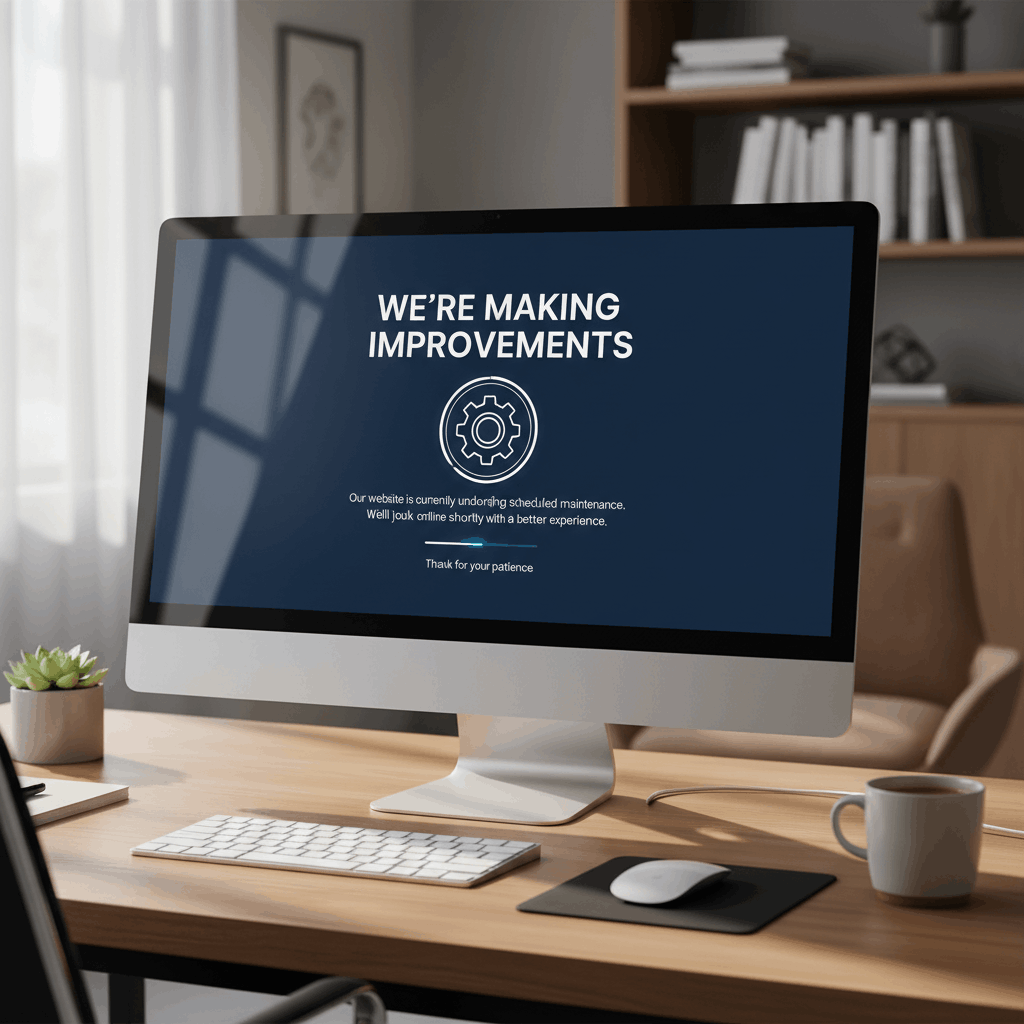
Creating a custom WordPress maintenance mode page transforms a potentially frustrating visitor experience into an opportunity to strengthen your brand and maintain engagement. While default maintenance screens serve a functional purpose, a well-designed custom page demonstrates professionalism, keeps visitors informed, and can even capture leads during downtime.
Whether you’re performing routine updates, implementing major site changes, or troubleshooting issues, your maintenance page represents your brand when your main site cannot. This comprehensive guide provides actionable design tips and proven templates to help you create maintenance pages that engage rather than alienate your audience.
Custom WordPress maintenance mode page: design tips & templates Table of Contents
- Why Custom Maintenance Mode Pages Matter
- Essential Elements of an Effective Maintenance Mode Page
- Design Best Practices for Custom Maintenance Pages
- Custom WordPress Maintenance Mode Page Templates
- Technical Implementation Strategies
- Advanced Customization Techniques
- SEO Considerations for Maintenance Mode Pages
- Testing Your Custom Maintenance Mode Page
- Frequently Asked Questions
- Transform Your Maintenance Experience
Why Custom Maintenance Mode Pages Matter
The difference between a generic maintenance screen and a custom-designed page can significantly impact how visitors perceive your brand. When implementing WordPress maintenance mode properly, the visual presentation becomes crucial to maintaining trust and engagement.
First Impressions During Downtime
Your maintenance page may be the first interaction new visitors have with your brand. A thoughtfully designed custom page communicates that you’re professional, detail-oriented, and care about user experience even during technical work.
Studies show that visitors form opinions about websites within 50 milliseconds. A polished maintenance page ensures that first impression remains positive, even when your main site isn’t accessible.
Brand Consistency and Professional Image
Generic maintenance mode WordPress messages break the visual continuity of your brand experience. Custom pages allow you to maintain your color scheme, typography, logo placement, and overall aesthetic that visitors expect from your business.
This consistency reinforces brand recognition and prevents the jarring experience of encountering an unfamiliar default screen that might cause visitors to question if they’ve reached the correct website.
Essential Elements of an Effective Maintenance Mode Page
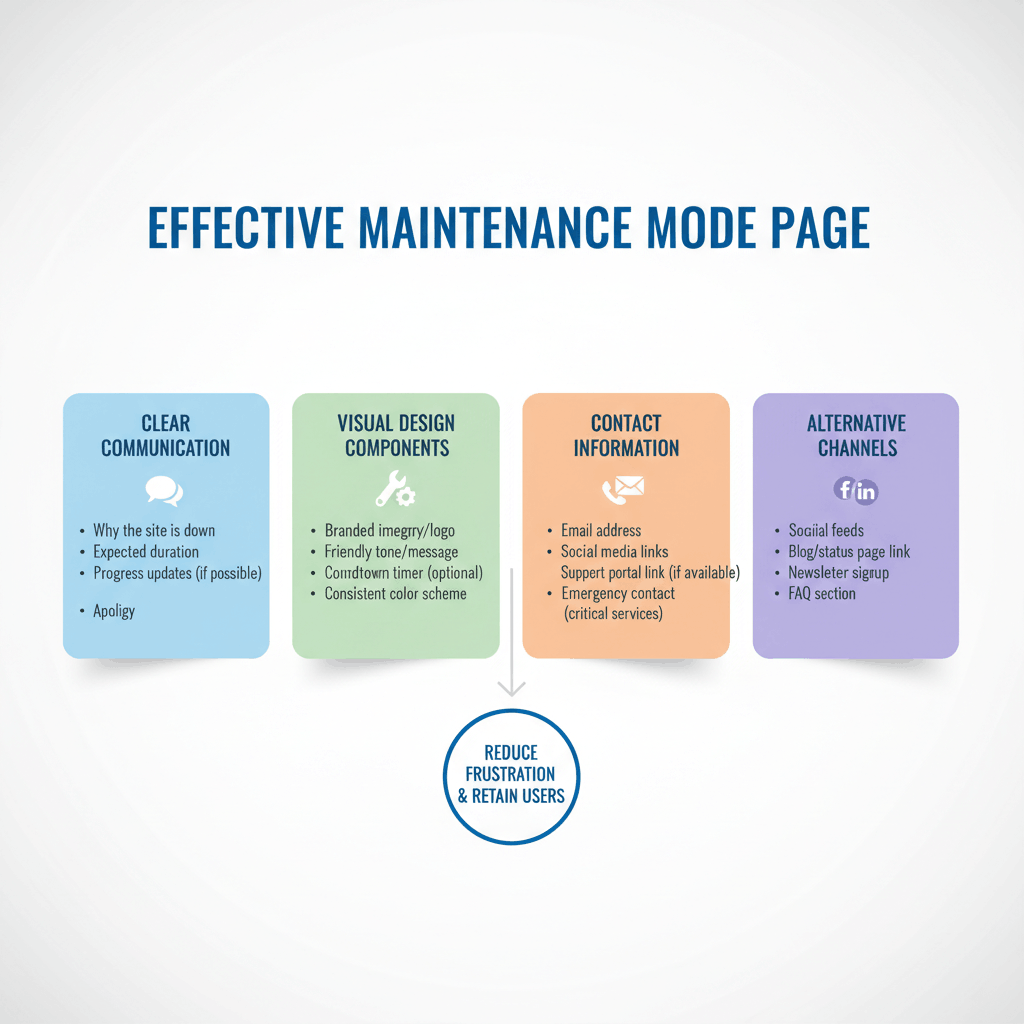
Every effective custom maintenance page includes specific components that inform, reassure, and engage visitors during downtime.
Clear Communication
Your primary message should immediately explain the situation. Avoid technical jargon and use friendly, conversational language that puts visitors at ease.
Essential messaging components include:
- Status explanation: “We’re currently updating our site to serve you better”
- Expected duration: Specific timeframe or countdown timer
- Purpose statement: Brief mention of improvements being made
- Apology for inconvenience: Shows consideration for visitor time
- Return timeframe: When the site will be back online
Visual Design Components
Visual elements should align with your brand while creating an engaging holding experience. The maintenance mode on WordPress should feel like an extension of your main site, not a disconnected error page.
Key visual elements include:
- Your logo prominently displayed
- Brand colors and styling
- High-quality imagery or illustrations
- Progress indicators or countdown timers
- Whitespace for readability
Contact Information and Alternative Channels
Provide visitors with alternative ways to reach you or access information. This prevents complete disconnection and demonstrates accessibility.
Include contact options such as email addresses, phone numbers, social media links, or links to your blog if it’s hosted separately. For e-commerce sites, consider linking to your social selling channels where customers can still browse products.
Design Best Practices for Custom WordPress Maintenance Mode Pages
Implementing proven design principles ensures your custom maintenance page delivers an optimal user experience across all devices and browsers.
Color Psychology and Brand Alignment
Choose colors that reinforce your brand while creating the appropriate emotional response. Maintenance mode in WordPress situations benefit from colors that communicate calm and reliability rather than urgency or error.
Avoid red tones that suggest critical errors. Instead, use your primary brand colors supplemented with calming blues, greens, or neutral tones that convey stability and planned maintenance rather than unexpected problems.
Typography and Readability
Text should be immediately legible across all devices. Use font sizes of at least 16px for body text, with headings proportionally larger to establish clear hierarchy.
Limit yourself to two font families maximum—typically one for headings and one for body text. Ensure sufficient contrast between text and background, with a minimum contrast ratio of 4.5:1 for accessibility compliance.
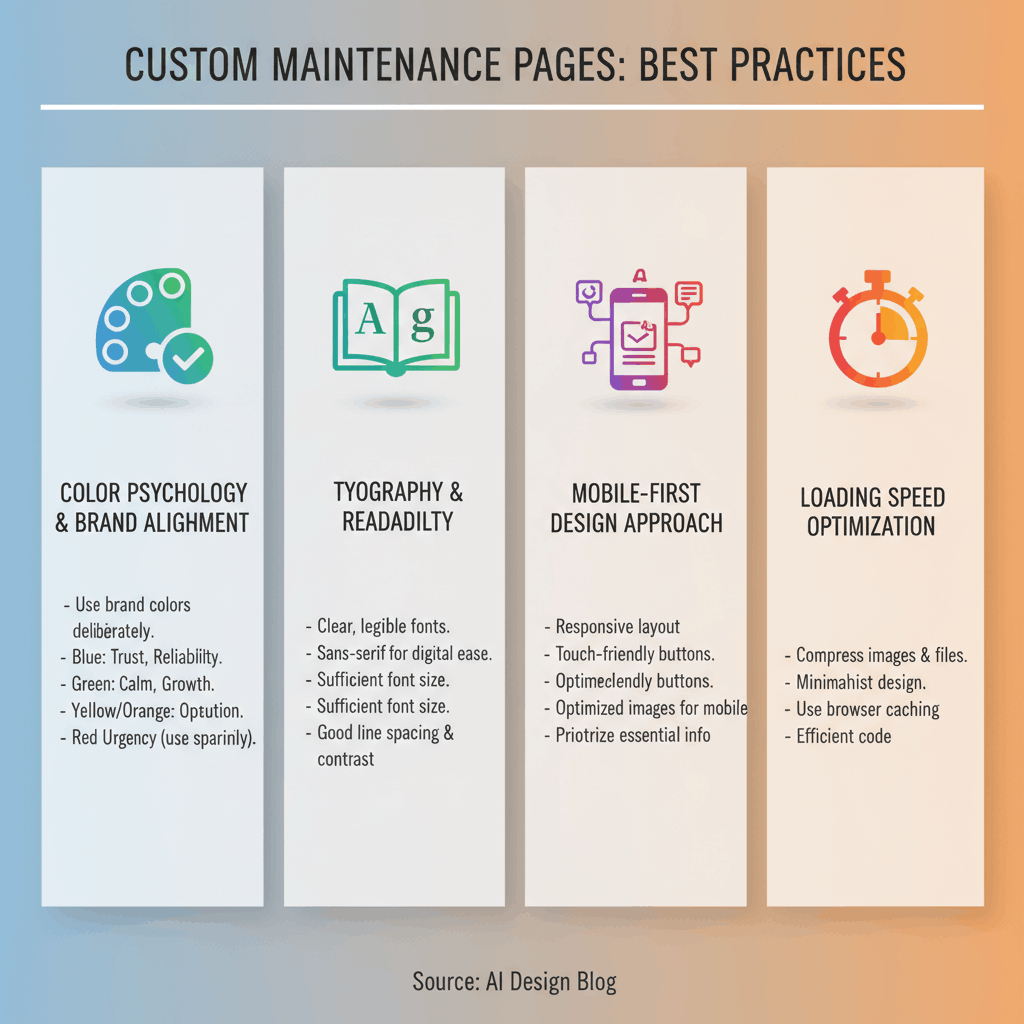
Mobile-First Design Approach
More than 60% of web traffic comes from mobile devices, making responsive design essential. Design your maintenance page for mobile screens first, then enhance for larger displays.
Test touch-friendly button sizes (minimum 44×44 pixels), readable text without zooming, and proper scaling of images and logos. Your maintenance page should be fully functional on the smallest smartphone screens.
Loading Speed Optimization
Ironically, maintenance pages often suffer from poor performance. Keep your custom page lightweight by optimizing images, minimizing CSS and JavaScript, and avoiding external dependencies when possible.
Target a load time under 2 seconds. Since visitors are already experiencing an interruption, slow-loading maintenance pages compound frustration and increase bounce rates.
Custom WordPress Maintenance Mode Page Templates
These proven template designs provide starting points for creating your custom maintenance page. Each serves different business needs and visitor expectations.
Minimalist Professional Template
This clean, distraction-free approach works well for corporate sites, professional services, and B2B businesses. The design focuses on clear messaging with minimal visual elements.
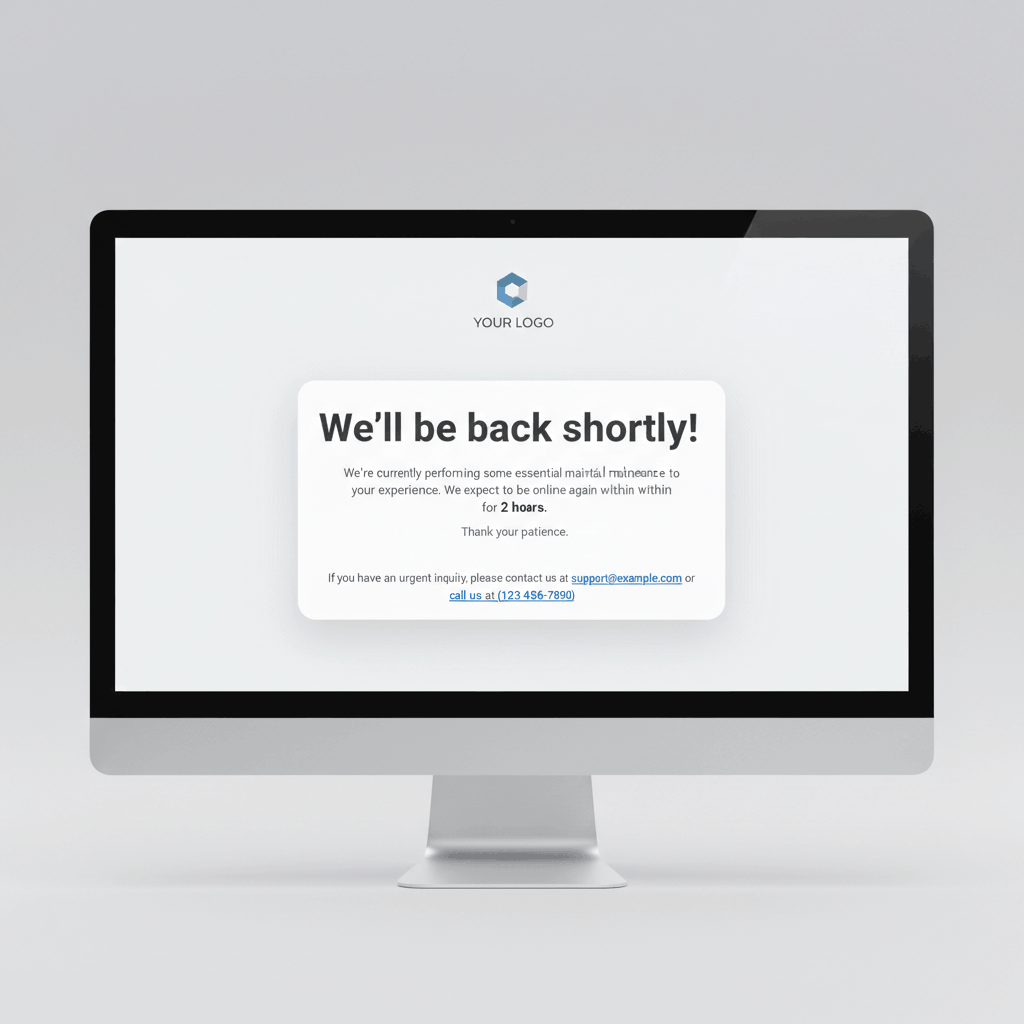
Template structure:
- Centered layout with ample whitespace
- Logo at top center
- Single concise headline explaining the situation
- Brief supporting text with expected return time
- Single contact email or phone number
- Subtle animated element (optional pulse or fade)
This template emphasizes professionalism and respects visitor time with straightforward communication.
Engaging Countdown Timer Template
For planned maintenance windows with specific end times, countdown timers create anticipation and reduce uncertainty. This template works exceptionally well for e-commerce sites and membership platforms.

Template features:
- Large, prominent countdown timer showing hours, minutes, seconds
- Progress bar indicating percentage complete
- Brief explanation of improvements being made
- Email subscription form for launch notification
- Social media icons for alternative engagement
The visual countdown provides psychological comfort by showing definite progress toward site restoration.
Email Subscription Template
Transform downtime into a lead generation opportunity with this template. Particularly effective for product launches, major redesigns, or extended maintenance periods.
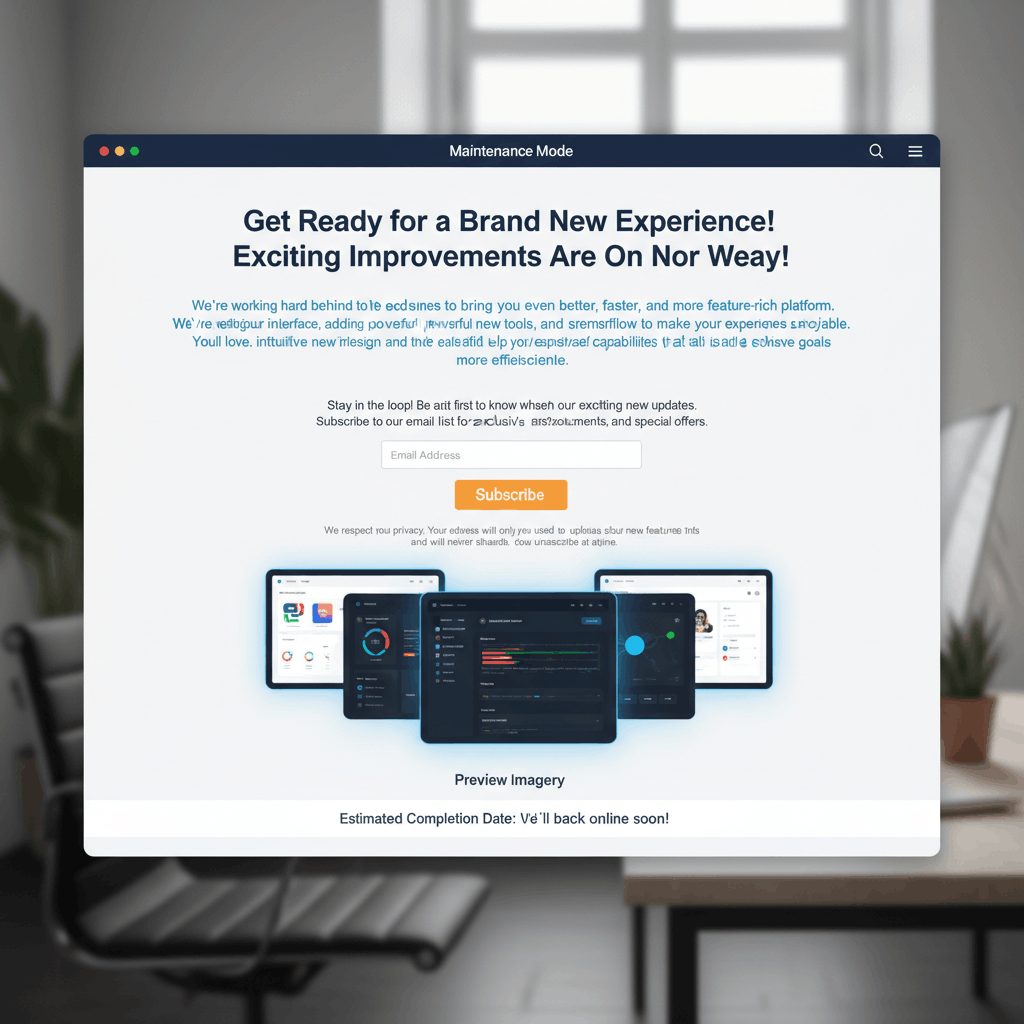
Template components:
- Compelling headline about upcoming improvements
- Benefit-focused description of changes
- Prominent email subscription form
- Privacy assurance statement
- Preview imagery of new features (if applicable)
- Estimated completion date
This approach turns a negative situation (downtime) into positive momentum (growing your email list).
Social Media Integration Template
For businesses with active social media communities, this template redirects engagement to alternative platforms where your audience can still interact with your brand.
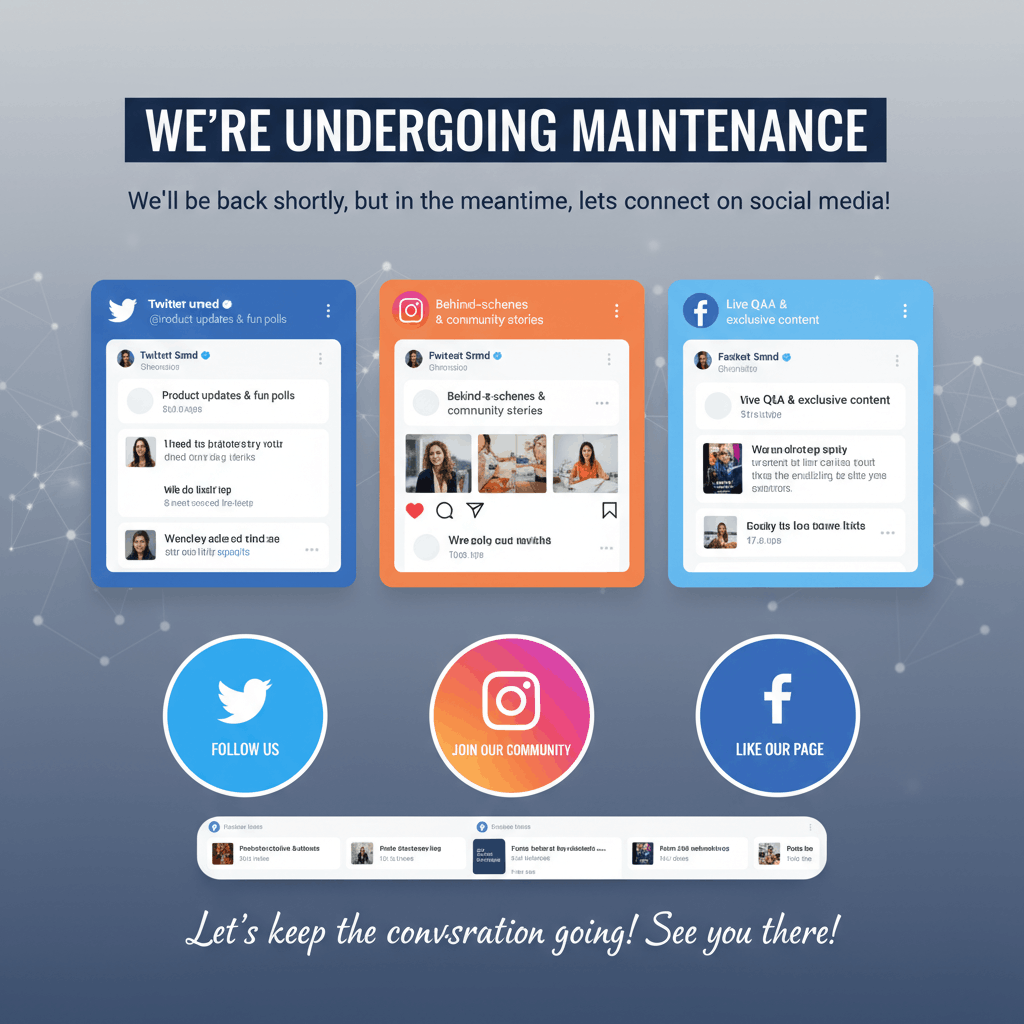
Template elements:
- Brief maintenance explanation
- Prominent social media feed embed (Twitter, Instagram, Facebook)
- Large social follow buttons
- Recent social posts displayed
- Encouragement to continue conversation on social platforms
This maintains engagement momentum and can actually increase social following during maintenance periods.
Technical Implementation Strategies
Understanding the technical foundation of custom maintenance pages ensures reliable implementation and easy management.
Custom CSS for Unique Styling
Custom CSS allows you to override default plugin styling and create truly unique maintenance page designs. Use CSS variables for brand colors to enable quick theme adjustments:
:root {
  --brand-primary: #3498db;
  --brand-secondary: #2c3e50;
  --accent-color: #e74c3c;
}
Apply flexbox or CSS Grid for reliable, responsive layouts that adapt smoothly across screen sizes without complex media queries.
HTML Structure Best Practices
Semantic HTML improves accessibility and SEO even on maintenance pages. Use proper heading hierarchy (single H1, followed by H2 for sections), descriptive alt text for images, and ARIA labels for interactive elements.
Keep the HTML structure simple and self-contained. Avoid dependencies on external stylesheets or scripts that might fail to load if your CDN or hosting has issues.
JavaScript Enhancements
JavaScript adds interactivity like countdown timers, animated backgrounds, or dynamic messaging. However, always implement progressive enhancement—your page must function perfectly with JavaScript disabled.
Common JavaScript enhancements include real-time countdown timers, animated SVG graphics, form validation for email capture, and localStorage to remember returning visitors and adjust messaging accordingly.
Advanced Customization Techniques
Take your maintenance page beyond basic templates with these advanced customization approaches that create memorable experiences.
Progress Indicators and Status Updates
For extended maintenance periods, dynamic progress indicators keep visitors informed about specific milestones. Implement a simple JSON file that updates with completion percentages for different maintenance tasks.
Display messages like “Database optimization: 75% complete” or “Installing security updates: 3 of 5 complete” to demonstrate active work and provide transparency about the maintenance process.
Animated Backgrounds and Visual Effects
Subtle animations create visual interest without being distracting. Consider CSS-only animations like gentle gradient shifts, floating particles, or parallax effects that work smoothly across devices.
Avoid heavy video backgrounds or complex WebGL effects that increase load times and drain mobile battery life. The goal is enhancement, not distraction from your core message.
Custom Forms and Lead Capture
Beyond simple email subscription, advanced forms can segment your audience or gather feedback. Ask visitors what features they’re most excited about, or allow VIP customers to request priority notification when the site returns.
Integrate with your email marketing platform’s API to automatically add subscribers to appropriate segments based on their maintenance page interactions.
SEO Considerations for Maintenance Mode Pages
Proper technical configuration ensures maintenance periods don’t negatively impact search engine rankings or indexation.
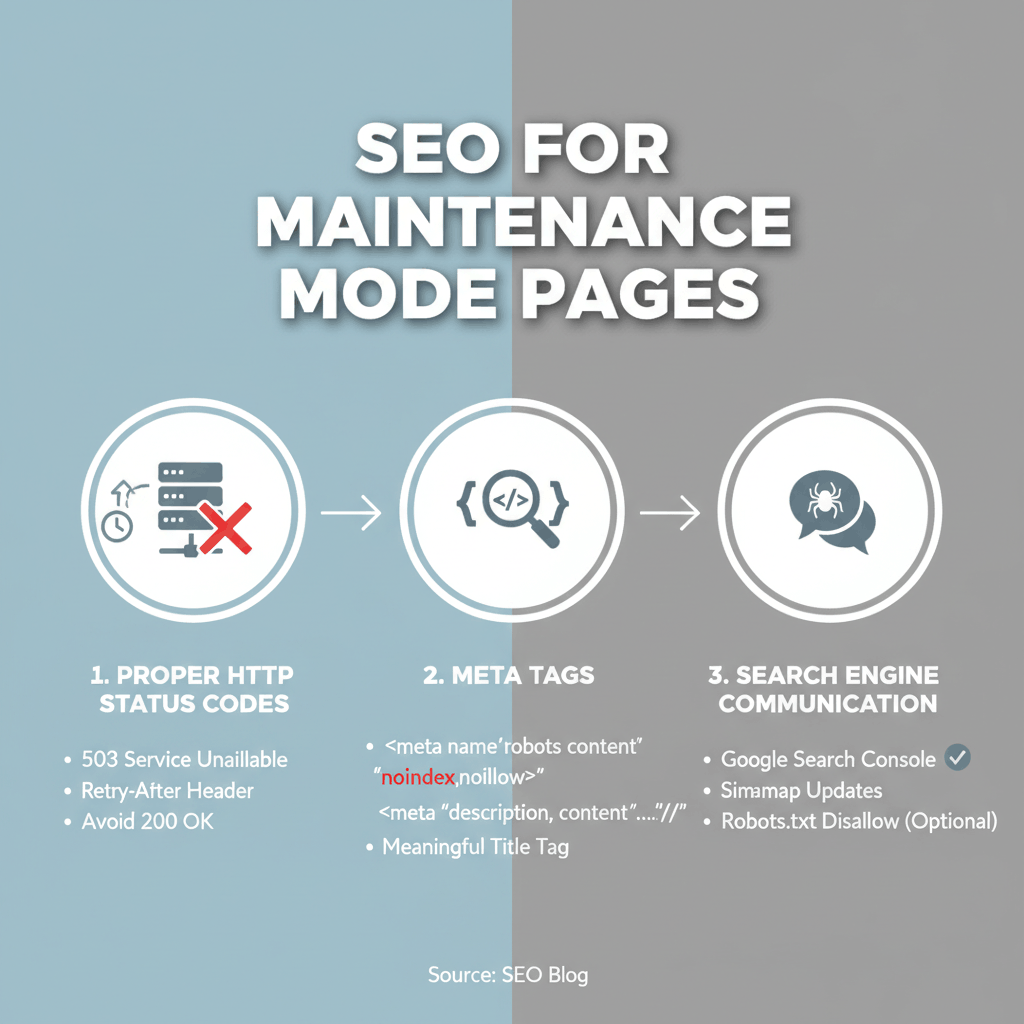
Proper HTTP Status Codes
Always serve maintenance pages with 503 Service Unavailable status codes, not 200 OK. The 503 code tells search engines this is temporary and they shouldn’t deindex your pages.
Include a Retry-After header specifying when the site will return. This helps search engines schedule their next crawl attempt appropriately without wasting crawl budget on repeated checks during maintenance.
Meta Tags and Search Engine Communication
Add noindex meta tags to your maintenance page to prevent it from being indexed if search engines do encounter it. However, the 503 status code is the primary signal that this is temporary.
Include your standard site metadata (title, description) even on maintenance pages to maintain consistency if snippets are cached or shared.
Testing Your Custom Maintenance Mode Page
Thorough testing prevents embarrassing issues when your maintenance page goes live to actual visitors.
Cross-Browser Compatibility
Test your custom maintenance page in Chrome, Firefox, Safari, and Edge at minimum. Pay special attention to CSS features that may have limited support in older browsers.
Use feature detection rather than browser detection, and implement graceful fallbacks for advanced CSS or JavaScript features that may not work universally.
Device Responsiveness Testing
Beyond browser dev tools, test on actual devices when possible. Check iPhone, Android, iPad, and various screen sizes to catch layout issues that simulators might miss.
Verify that touch targets are appropriately sized, text remains readable without zooming, and images scale properly without distortion or excessive file sizes on mobile connections.
Performance Benchmarking
Run your maintenance page through Google PageSpeed Insights and GTmetrix to identify optimization opportunities. Since this page may be served during server stress, it must be exceptionally lightweight.
Target performance metrics: First Contentful Paint under 1 second, total page size under 500KB, and fewer than 10 HTTP requests total.
Frequently Asked Questions about a WordPress Maintenance Mode Page
How do I create a custom maintenance mode page in WordPress without a plugin?
To create a custom maintenance page without plugins, create a maintenance.php file in your WordPress root directory with your custom HTML and CSS. Add code to your functions.php file that checks for this file and displays it to non-logged-in users. Include proper 503 headers in your PHP code to ensure search engines understand this is temporary. This method gives you complete control over design and functionality.
What should I include on my WordPress maintenance mode page?
Essential elements include your logo, a clear explanation that the site is undergoing maintenance, expected return time, alternative contact methods (email, phone, social media), and an apology for the inconvenience. For business sites, consider adding email subscription forms or social media feeds to maintain engagement during downtime.
Can I track visitors on my maintenance mode page?
Yes, you can add Google Analytics or other tracking codes to your custom maintenance page. This provides valuable data about how many visitors attempt to access your site during maintenance, how long they stay on the maintenance page, and what devices they use. This information helps you schedule future maintenance during lower-traffic periods and improve your maintenance page design.
How long should my maintenance mode page be active?
Keep maintenance mode active for the shortest time possible—ideally under 2 hours for routine updates. Extended maintenance beyond 4 hours should be scheduled during your lowest traffic periods and announced in advance. For major updates requiring longer downtime, communicate clearly through email and social media before enabling maintenance mode. Consider professional maintenance plans that minimize downtime through proper planning.
Should my maintenance mode page be indexed by search engines?
No, maintenance pages should never be indexed. Always use a 503 HTTP status code with a Retry-After header, which tells search engines this is temporary and they shouldn’t deindex your actual pages. Add noindex meta tags as an additional precaution. Proper implementation ensures your search rankings remain unaffected by temporary maintenance periods.
Can I show different maintenance pages to different users?
Yes, advanced implementations can display different maintenance pages based on user roles, geographic location, or referral source. WordPress administrators typically see the normal site while maintenance mode is active for visitors. You can extend this logic to show custom messages to logged-in members versus new visitors, or display different return times for different regions if your maintenance affects specific servers.
Transform Your Maintenance Experience
A thoughtfully designed custom WordPress maintenance mode page turns necessary downtime into an opportunity to strengthen your brand and maintain visitor engagement. By implementing the design tips and templates covered in this guide, you create professional holding experiences that reassure visitors rather than frustrating them.
Remember that your maintenance page is a touchpoint in your overall user experience. It deserves the same attention to design, messaging, and technical implementation as any other page on your site. The investment in creating a custom maintenance page pays dividends in preserved brand perception and visitor retention during inevitable technical work.
Whether you choose a minimalist approach, an engaging countdown timer, or an interactive template with lead capture, ensure your design aligns with your brand values and clearly communicates with your audience. Test thoroughly across devices and browsers, implement proper SEO considerations, and optimize for performance to deliver the best possible experience during site maintenance.
Need help implementing a professional maintenance strategy for your WordPress site? WP Support offers expert WordPress maintenance services including custom maintenance page design, strategic planning to minimize downtime, and comprehensive support packages that keep your site running smoothly. Our team ensures your maintenance periods are brief, well-communicated, and professionally presented to your visitors.
Contact our WordPress experts today to discuss how we can optimize your maintenance strategy and create custom maintenance pages that enhance rather than interrupt your user experience.