
Understanding the WordPress website maintenance cost is crucial for budgeting and ensuring your site remains secure, fast, and functional throughout 2026. Whether you’re running a small business blog or a large eCommerce platform, knowing what to expect in terms of pricing helps you make informed decisions about professional support versus DIY maintenance.
The WordPress maintenance landscape has evolved significantly, with pricing structures becoming more transparent and services more comprehensive. In this detailed guide, we’ll break down exactly what you can expect to pay for various levels of WordPress care, what factors influence pricing, and how to determine the right investment for your specific needs.
For a comprehensive overview of maintenance services and their value, explore our complete guide to WordPress Maintenance Services and how they protect your investment.
WordPress website maintenance cost: what to expect in 2025 Table of Contents
- Understanding WordPress Website Maintenance Cost Factors
- Average WordPress Maintenance Pricing Ranges in 2025
- DIY Maintenance vs Professional WordPress Maintenance Service
- What’s Included in Different Price Points
- How to Budget for WordPress Website Maintenance Cost
- Frequently Asked Questions
- Making the Right Investment for Your WordPress Site
Understanding WordPress Website Maintenance Cost Factors
Several key variables determine the WordPress website maintenance cost you’ll encounter in 2025. Understanding these factors helps you evaluate quotes and determine whether you’re getting fair value for your investment.
The pricing landscape isn’t one-size-fits-all. Your specific needs, site complexity, and business requirements all play significant roles in determining the final cost of a wordpress maintenance plan.
Website Complexity and Traffic Volume
The complexity of your WordPress site directly impacts maintenance costs. A simple five-page business site requires significantly less attention than a multi-thousand page eCommerce platform with custom integrations and high traffic volumes.
High-traffic websites demand more frequent monitoring, performance optimization, and server resource management. Sites receiving 100,000+ monthly visitors typically fall into higher maintenance pricing tiers due to the additional oversight required.
Custom-coded features, third-party integrations, and specialized plugins also increase maintenance complexity. Each custom element requires expertise to maintain, update safely, and troubleshoot when issues arise.
Service Scope and Features Included
The range of services included in your WordPress maintenance service dramatically affects pricing. Basic plans might include only updates and backups, while comprehensive packages offer security monitoring, performance optimization, content updates, and priority support.
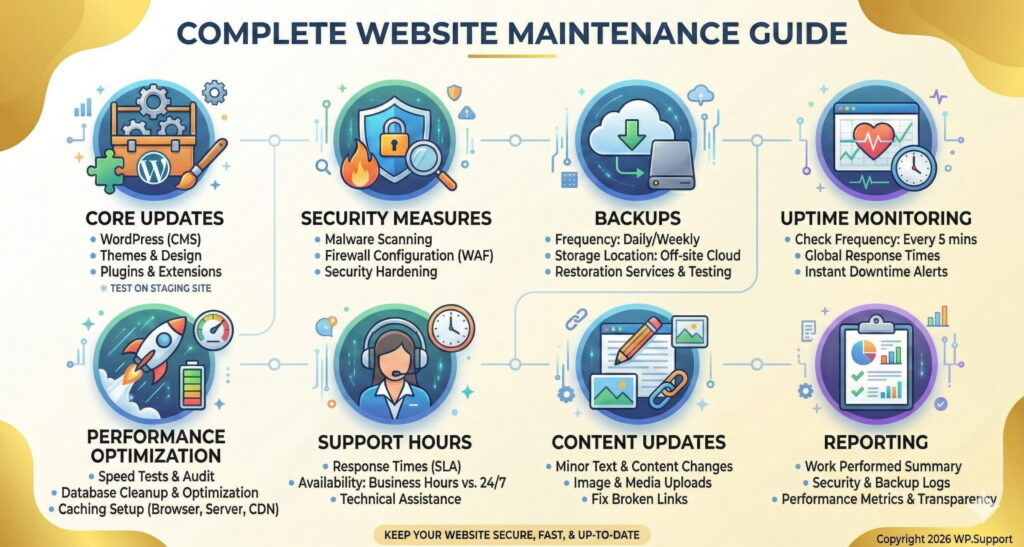
Consider what you’re actually receiving for your investment:
- Core updates: WordPress, theme, and plugin updates
- Security measures: Malware scanning, firewall configuration, security hardening
- Backups: Frequency, storage location, and restoration services
- Uptime monitoring: How often your site is checked and response times
- Performance optimization: Speed tests, database optimization, caching setup
- Support hours: Response times and availability of technical assistance
- Content updates: Whether minor content changes are included
- Reporting: Transparency about work performed and site health
Many providers now offer tiered pricing based on these service combinations, allowing you to select the level that matches your needs and budget.
Provider Experience and Expertise
The expertise level of your wordpress site maintenance service provider influences pricing structure. Established agencies with proven track records, specialized WordPress certifications, and extensive portfolios typically charge premium rates compared to freelancers or generalist IT services.
However, this premium often translates to better outcomes. Experienced providers identify issues before they become problems, implement best practices efficiently, and resolve technical challenges faster than less experienced alternatives.
Geographic location also plays a role. Providers in major metropolitan areas or developed countries generally charge more than those in regions with lower operating costs, though remote work has somewhat equalized this factor.
Average WordPress Maintenance Pricing Ranges in 2025
The WordPress website maintenance cost in 2025 varies widely based on the factors discussed above. Here’s a detailed breakdown of what you can expect at different price points, along with what’s typically included at each level.
These ranges represent monthly subscription costs for ongoing maintenance. One-time services like site migrations, redesigns, or major repairs are typically priced separately.
Basic WordPress Maintenance Plan ($50-$100/month)
Entry-level wordpress maintenance plan options cater to small websites with minimal complexity and lower traffic volumes. These plans cover essential maintenance tasks but typically offer limited support hours and slower response times.
What’s typically included at this price point:
- Weekly or bi-weekly WordPress core, theme, and plugin updates
- Monthly site backups stored for 30 days
- Basic security scanning (weekly or monthly)
- Uptime monitoring with email alerts
- Email support with 24-48 hour response times
- Monthly maintenance reports
Best suited for: Personal blogs, small business brochure sites, simple portfolio websites, or sites with less than 10,000 monthly visitors.
For those considering a more comprehensive approach, check out affordable WordPress support packages that balance cost with essential services.
Standard WordPress Maintenance Service ($100-$250/month)
Mid-tier pricing represents the sweet spot for most small to medium-sized businesses. These plans offer more comprehensive coverage, faster support response, and proactive maintenance approaches.
Standard tier features typically include:
- Weekly WordPress core, theme, and plugin updates with compatibility testing
- Weekly automated backups with 60-90 day retention
- Daily security scanning and malware monitoring
- 24/7 uptime monitoring with immediate alerts
- Monthly performance optimization and database cleanup
- Basic SEO monitoring and broken link checks
- Priority email support with same-business-day response
- Up to 1 hour of minor content updates or technical adjustments
- Detailed monthly reports with recommendations
Best suited for: Growing business websites, small eCommerce stores, membership sites, or sites with 10,000-50,000 monthly visitors.

This tier aligns well with comprehensive reasons you need a WordPress maintenance plan that goes beyond basic updates.
Premium WordPress Site Maintenance Service ($250-$500/month)
Premium wordpress site maintenance service plans cater to established businesses with complex websites, higher traffic volumes, and greater dependency on their online presence. These plans emphasize proactive management and rapid issue resolution.
Premium features typically include:
- On-demand updates with immediate compatibility testing
- Daily automated backups with unlimited retention
- Real-time security monitoring with active threat response
- Advanced performance optimization including CDN configuration
- Monthly speed testing and detailed performance reports
- Conversion rate optimization recommendations
- Priority phone and chat support with 2-4 hour response times
- Up to 3 hours of content updates or development work
- Quarterly strategy consultations
- Emergency support availability
Best suited for: Medium to large businesses, established eCommerce stores, high-traffic content sites, or sites with 50,000-250,000 monthly visitors.

Understanding the reasons to hire a WordPress expert becomes especially clear at this level of complexity and business dependency.
Enterprise WordPress Maintenance ($500-$1,500+/month)
Enterprise-level maintenance represents the highest tier of WordPress website maintenance cost, designed for mission-critical websites where downtime results in significant revenue loss. These plans offer white-glove service with dedicated account management.
Enterprise packages typically include:
- Dedicated WordPress maintenance team
- Custom maintenance schedule based on your business needs
- Real-time backup solutions with instant restoration capabilities
- Enterprise-grade security with penetration testing
- Advanced performance optimization and scalability planning
- Custom development and feature implementation (included hours vary)
- 24/7 priority support with guaranteed response times
- Detailed analytics and business intelligence reporting
- Disaster recovery planning and execution
- Service Level Agreement (SLA) with uptime guarantees
Best suited for: Large enterprises, high-revenue eCommerce platforms, membership sites with thousands of users, or sites exceeding 250,000 monthly visitors.

Professional WordPress Multisite Support
Need a WordPress multisite support? We’ve got you covered.
With more than a decade of expertise in WordPress maintenance, we are dedicated to bringing you the best solutions for your websites.
Multisites have some special considerations and need some extra TLC. We are your perfect multisite partner.
DIY Maintenance vs Professional WordPress Maintenance Service
When evaluating WordPress website maintenance cost, many site owners consider handling maintenance themselves to save money. While this approach can reduce direct expenses, it’s important to understand the full picture including hidden costs and opportunity costs.
The decision between DIY and professional maintenance isn’t purely financial—it involves weighing your technical expertise, available time, and the value of your site to your business operations.
Hidden Costs of DIY WordPress Maintenance
DIY maintenance appears free on the surface, but several hidden costs quickly accumulate. Your time has value, and hours spent learning WordPress maintenance best practices could be invested in revenue-generating activities or core business functions.
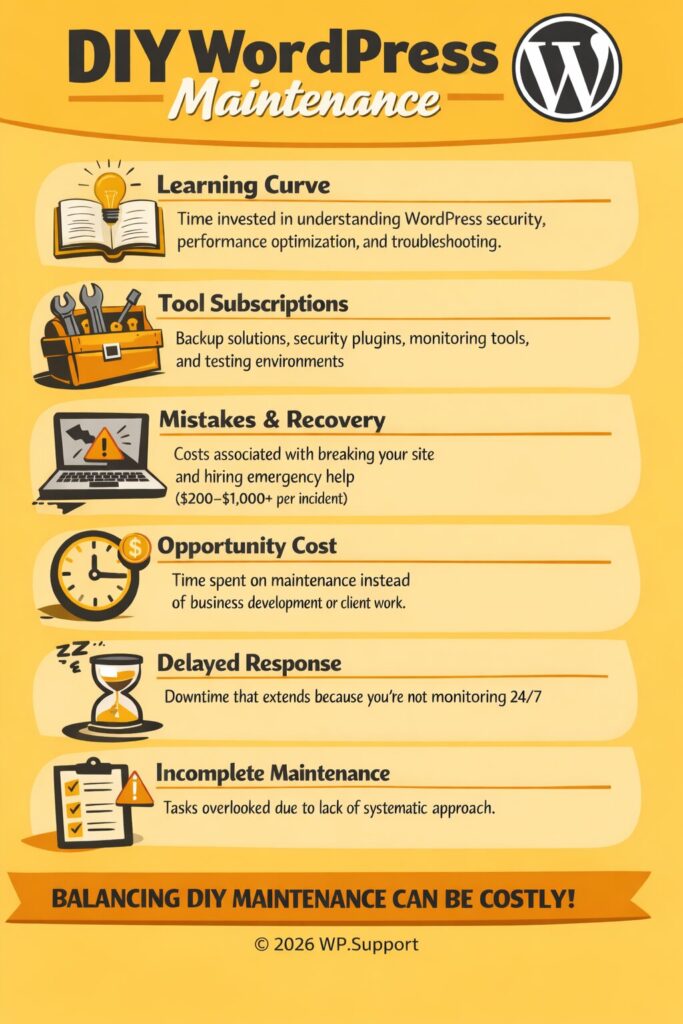
Consider these often-overlooked DIY costs:
- Learning curve: Time invested in understanding WordPress security, performance optimization, and troubleshooting
- Tool subscriptions: Backup solutions, security plugins, monitoring tools, and testing environments ($20-$100/month)
- Mistakes and recovery: Costs associated with breaking your site and hiring emergency help ($200-$1,000+ per incident)
- Opportunity cost: Time spent on maintenance instead of business development or client work
- Delayed response: Downtime that extends because you’re not monitoring 24/7
- Incomplete maintenance: Tasks overlooked due to lack of systematic approach
For a comprehensive understanding of maintenance responsibilities, review our essential WordPress setup checklist.
Value of Professional WordPress Site Maintenance Service
Professional wordpress maintenance service providers deliver value that extends beyond individual task completion. Their systematic approach, specialized expertise, and dedicated focus on WordPress maintenance offer benefits that DIY approaches struggle to match.
Key value propositions of professional maintenance:
- Proactive monitoring: Issues identified and resolved before they impact users
- Expertise on demand: Access to specialists without maintaining in-house knowledge
- Time savings: Hours reclaimed for core business activities
- Peace of mind: Confidence that experts are protecting your digital asset
- Systematic approach: Comprehensive checklists ensure nothing is overlooked
- Latest best practices: Providers stay current with WordPress developments and security threats
- Scalability: Service grows with your site without hiring additional staff
The break-even point typically occurs when your time spent on maintenance exceeds 3-4 hours monthly, making the investment in a wordpress maintenance plan economically sound.
What’s Included in Different Price Points
Understanding exactly what services are included at each WordPress website maintenance cost tier helps you evaluate whether you’re getting good value and whether the plan matches your needs. Not all maintenance services are created equal, even within similar price ranges.
Let’s examine the specific deliverables you should expect at each investment level and how to identify which tier aligns with your requirements.
Core Services in Budget Plans
Budget-tier wordpress maintenance plan options focus on essential tasks that keep your site functional and minimally secure. These plans prioritize prevention over optimization and typically operate on scheduled rather than proactive timelines.
Standard inclusions in budget plans:
- Scheduled updates performed during designated maintenance windows
- Basic compatibility checking (ensuring the site loads after updates)
- Automated backup solutions with standard retention policies
- Security scanning using automated tools
- Basic uptime monitoring (15-30 minute check intervals)
- Email-only support with standard business hours availability
- Generic monthly reports showing completed tasks
What’s typically NOT included:
- Emergency support or rush service
- Content updates or design changes
- Performance optimization beyond updates
- Custom troubleshooting or problem diagnosis
- Plugin or theme customization
- Strategic consultations or recommendations
Additional Features in Mid-Tier Plans
Mid-tier wordpress website maintenance service plans expand significantly on basic offerings, introducing proactive elements and faster response times. These plans begin treating your site as a business asset requiring optimization, not just basic upkeep.
Enhanced features at this level:
- Compatibility testing in staging environments before applying updates to live sites
- Manual review of critical updates before implementation
- More frequent backups with longer retention and off-site storage
- Active security monitoring with threat response protocols
- Performance benchmarking and optimization recommendations
- Database optimization and cleanup
- Broken link checking and basic SEO maintenance
- Limited development hours for minor adjustments
- Multiple support channels (email, chat, or phone)
- Customized reporting showing site health metrics
The mid-tier represents the minimum recommended level for business websites where your online presence directly impacts revenue or customer trust.
Premium Services and Custom Solutions
Premium and enterprise WordPress website maintenance cost tiers deliver comprehensive management that treats your website as a strategic business asset. These plans include significant customization, dedicated resources, and service level guarantees.
Premium differentiators include:
- Dedicated account managers who understand your business
- Custom maintenance schedules aligned with your business cycles
- Proactive optimization based on analytics and user behavior
- Advanced security measures including code audits
- Conversion rate optimization recommendations
- Included development hours for feature enhancements
- Strategic consultations on site improvements
- Guaranteed response times with SLA penalties
- Emergency support protocols
- White-label services for agencies managing client sites
These plans transform maintenance from a necessary expense into a strategic partnership focused on maximizing your website’s business value.
How to Budget for WordPress Website Maintenance Cost
Proper budgeting for your wordpress maintenance service ensures you’re neither overpaying for unnecessary services nor under-investing in critical site care. The right budget balances your current needs with future growth while protecting against unexpected issues.
Strategic budgeting approaches consider total cost of ownership, not just monthly subscription fees. This includes planning for occasional development work, potential emergency fixes, and scalability as your site grows.
Assessing Your Website’s Needs
Begin by honestly evaluating your site’s complexity, business importance, and your team’s technical capabilities. This assessment guides you toward the appropriate wordpress maintenance plan tier without paying for services you don’t need or skimping on critical protection.
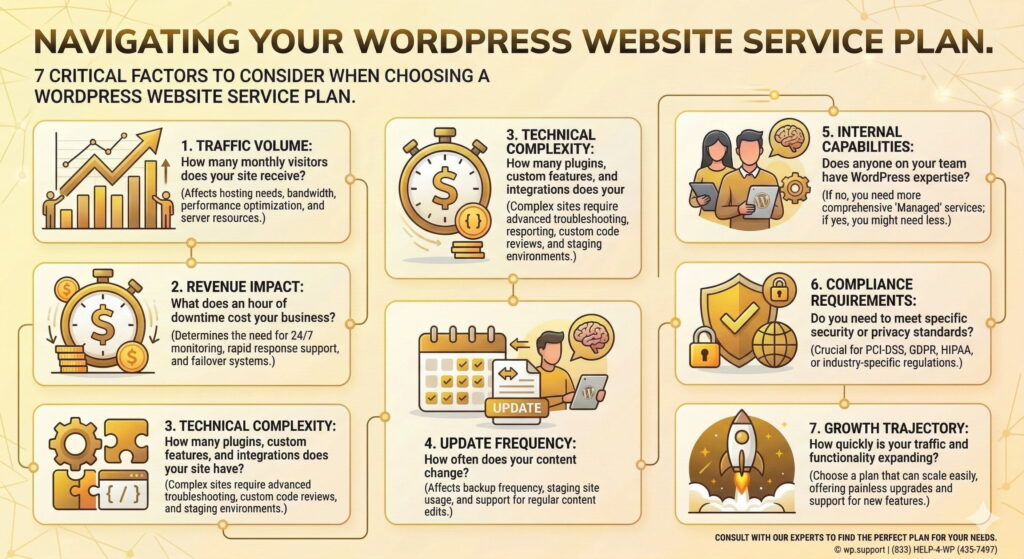
Key assessment questions:
- Traffic volume: How many monthly visitors does your site receive?
- Revenue impact: What does an hour of downtime cost your business?
- Technical complexity: How many plugins, custom features, and integrations does your site have?
- Update frequency: How often does your content change?
- Internal capabilities: Does anyone on your team have WordPress expertise?
- Compliance requirements: Do you need to meet specific security or privacy standards?
- Growth trajectory: How quickly is your traffic and functionality expanding?
Sites generating significant revenue or leads should budget toward higher maintenance tiers. The cost represents insurance against downtime and optimization for better performance.
Planning for Scalability and Growth
Your WordPress website maintenance cost should scale with your site’s growth and business evolution. Starting with an appropriate tier for your current needs while planning upgrade paths prevents service gaps as your requirements expand.
Smart scalability planning includes:
- Choosing providers with multiple tier options for easy upgrades
- Understanding how pricing adjusts as traffic or complexity increases
- Budgeting for occasional development work beyond maintenance
- Planning annual reviews of your maintenance needs
- Allocating contingency budget for unexpected issues or opportunities
- Considering seasonal variations in traffic and support needs
Most businesses find their maintenance needs increase 15-30% annually as sites grow and add functionality. Building this growth into your budget prevents scrambling when current service levels become insufficient.
Avoiding Common Cost Pitfalls
Several common mistakes inflate wordpress website maintenance service costs unnecessarily or result in inadequate coverage that leads to expensive emergency fixes. Awareness of these pitfalls helps you budget effectively.
Common budgeting mistakes to avoid:
- Choosing based solely on price: The cheapest option often delivers inadequate service
- Ignoring contract terms: Long-term commitments may lock you into services that don’t fit
- Overlooking what’s NOT included: Many plans exclude crucial services that become expensive add-ons
- Failing to budget for development: Maintenance doesn’t include feature additions or design changes
- Underestimating your needs: Insufficient coverage leads to reactive emergency spending
- Not comparing apples to apples: Service definitions vary significantly between providers
Request detailed service descriptions and compare specific deliverables rather than just pricing tiers. The right WordPress care plan pricing balances comprehensive coverage with budget realism.
Frequently Asked Questions
How much does WordPress maintenance cost per month?
WordPress maintenance costs typically range from $50 to $500+ monthly depending on site complexity and service level. Small business sites usually require $100-$250/month for adequate coverage, while eCommerce and high-traffic sites often need $250-$500/month. Enterprise sites with critical uptime requirements may invest $1,000+ monthly. The right price point depends on your traffic volume, site complexity, and how much downtime would cost your business.
Is it worth paying for a WordPress maintenance plan?
Yes, a WordPress maintenance plan is worth the investment for most business websites. Professional maintenance prevents security breaches that average $4,000+ to remediate, ensures optimal performance that improves conversion rates, and provides peace of mind that experts are protecting your digital asset. The break-even point typically occurs when DIY maintenance consumes more than 3-4 hours monthly of your time, making professional service economically sound beyond the technical benefits.
What happens if I don’t maintain my WordPress site?
Without regular maintenance, WordPress sites become vulnerable to security breaches, performance degradation, and eventual failure. Outdated plugins and themes create security vulnerabilities that hackers actively exploit. Sites gradually slow down as databases accumulate overhead and caching becomes ineffective. Eventually, compatibility issues between outdated components cause functionality to break. Emergency fixes for neglected sites typically cost $500-$2,000+, far exceeding preventive maintenance costs.
Can I switch WordPress maintenance services without losing data?
Yes, you can safely switch WordPress maintenance services without data loss if done properly. Reputable providers facilitate smooth transitions including reviewing your current setup, importing relevant documentation, and ensuring backup systems are functioning before assuming responsibility. Request that your current provider delivers final backups and access credentials. The transition typically takes 1-2 weeks for proper handoff. Choose providers with experience in smooth onboarding to minimize transition risks.
Do WordPress maintenance costs include hosting?
No, WordPress maintenance costs typically do NOT include hosting fees. Maintenance services focus on site care, updates, security, and support, while hosting provides the server infrastructure your site runs on. Hosting costs $5-$500+ monthly depending on performance requirements. Some providers offer bundled packages that include both hosting and maintenance, but these are usually priced separately. Budget for both expenses when calculating total website ownership costs.
How often should WordPress maintenance be performed?
Core WordPress maintenance tasks should be performed weekly at minimum, with some elements monitored continuously. Updates should be applied at least weekly, backups performed daily for business sites, and security monitoring conducted in real-time. Performance optimization should occur monthly, while comprehensive site audits are valuable quarterly. The frequency increases with site importance—eCommerce and high-traffic sites benefit from daily maintenance checks rather than weekly schedules.
Making the Right Investment for Your WordPress Site
Understanding WordPress website maintenance cost structures in 2025 empowers you to make informed decisions that protect your digital investment without overspending. The right maintenance tier balances comprehensive coverage with budget realism, ensuring your site remains secure, fast, and functional.
Remember that maintenance costs represent insurance against far more expensive problems. A $150 monthly investment in professional wordpress maintenance service prevents the $4,000+ average cost of security breach remediation, the lost revenue from performance issues, and the opportunity cost of your time spent troubleshooting technical problems.
Your website serves as your digital storefront, lead generation engine, or revenue platform. The maintenance investment should reflect its importance to your business operations. Sites generating significant revenue or leads justify premium maintenance tiers, while personal projects can function well with basic coverage.
Evaluate potential providers based on specific deliverables rather than price alone. Request detailed service descriptions, check references, and ensure the provider’s expertise matches your platform’s complexity. The relationship between you and your maintenance provider should feel like a partnership focused on your site’s success.
Ready to protect your WordPress investment with professional maintenance? Explore our reliable WordPress maintenance services designed to keep your site secure, fast, and functioning optimally. Our transparent pricing and comprehensive coverage ensure you know exactly what you’re getting without surprise charges or hidden fees.
Don’t wait for a security breach or performance crisis to prioritize maintenance. Request a custom quote today and discover how affordable professional WordPress care can be for your specific needs. Your site—and your peace of mind—deserve expert protection.